Business Email Compromise Investigation and Response

Peer Review

Gartner brand name text logo in white with registered trademark symbol.
5-star rating
4.8

Proven Trust

Dark blue circle with two overlapping checkmarks, one green and one light blue.
ISO 27001 text with a globe outline symbol on a black background.
2025 winner badge for Cyber Security Excellence Awards with gold and black design.

Our analysts investigate payment-change requests, supplier impersonation and executive spoofing, then contain the threat across your mailboxes.

Talk to our team

Tenant-wide

Message removal across impacted mailboxes

Multi-vendor

Works with your existing email security

Human-led

Analyst judgement on top of AI analysis
By now, most organisations have already
suffered significant business impact.
WHY FILTERS MISS IT

BEC Attacks the Person

Attackers go after executives and finance officers who can move money or approve sensitive transactions.
Tool alerts alone do not close the loop.

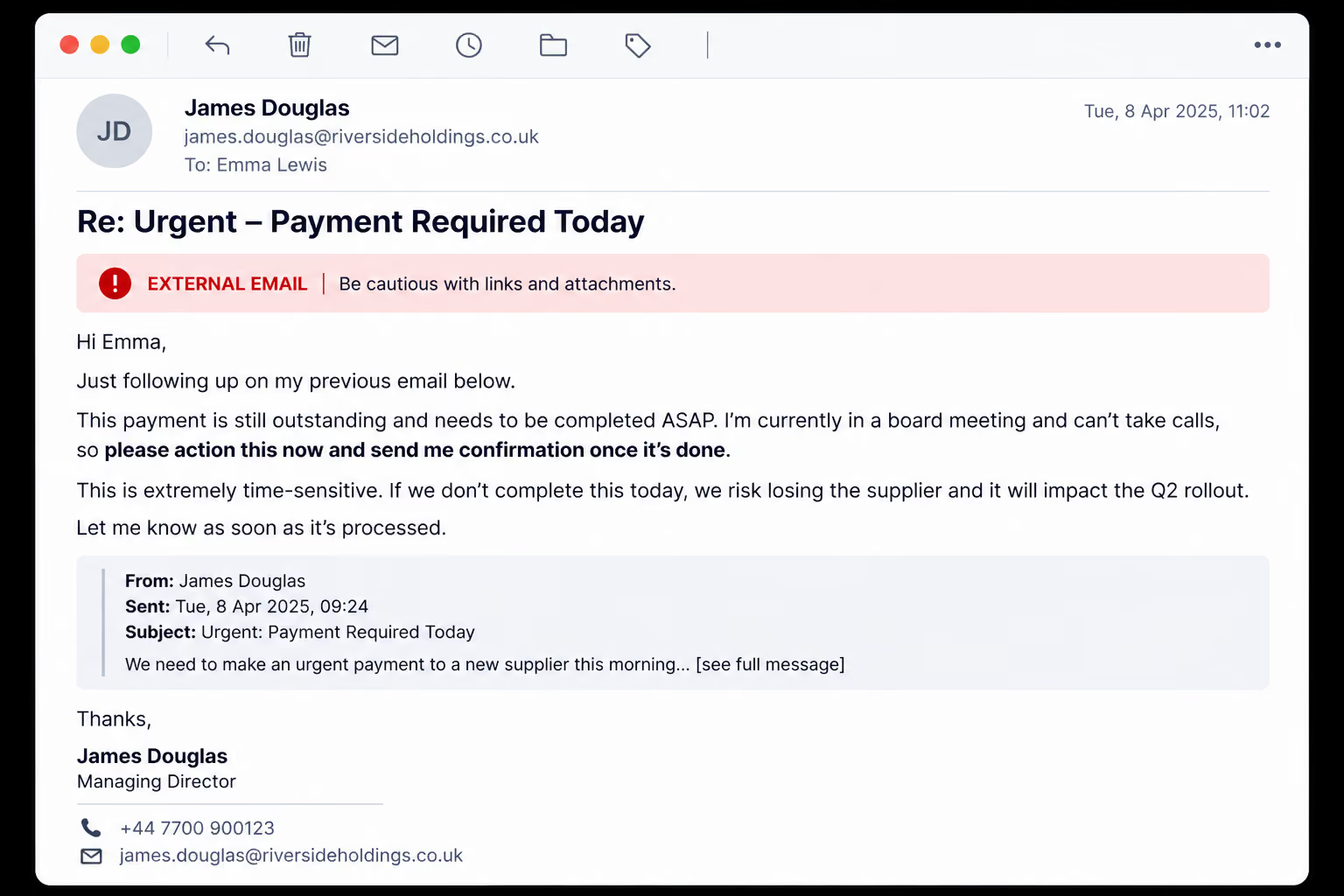
An Urgent Payment Request

The attack opens with an email that appears to come from a senior executive, here a Managing Director. It asks for an urgent payment to a new supplier, says the sender can’t take calls, and warns that a delay could cost the business the supplier. The “Re:” subject and quoted earlier message make it look like a conversation already under way.
Executive impersonation
Payment pressure

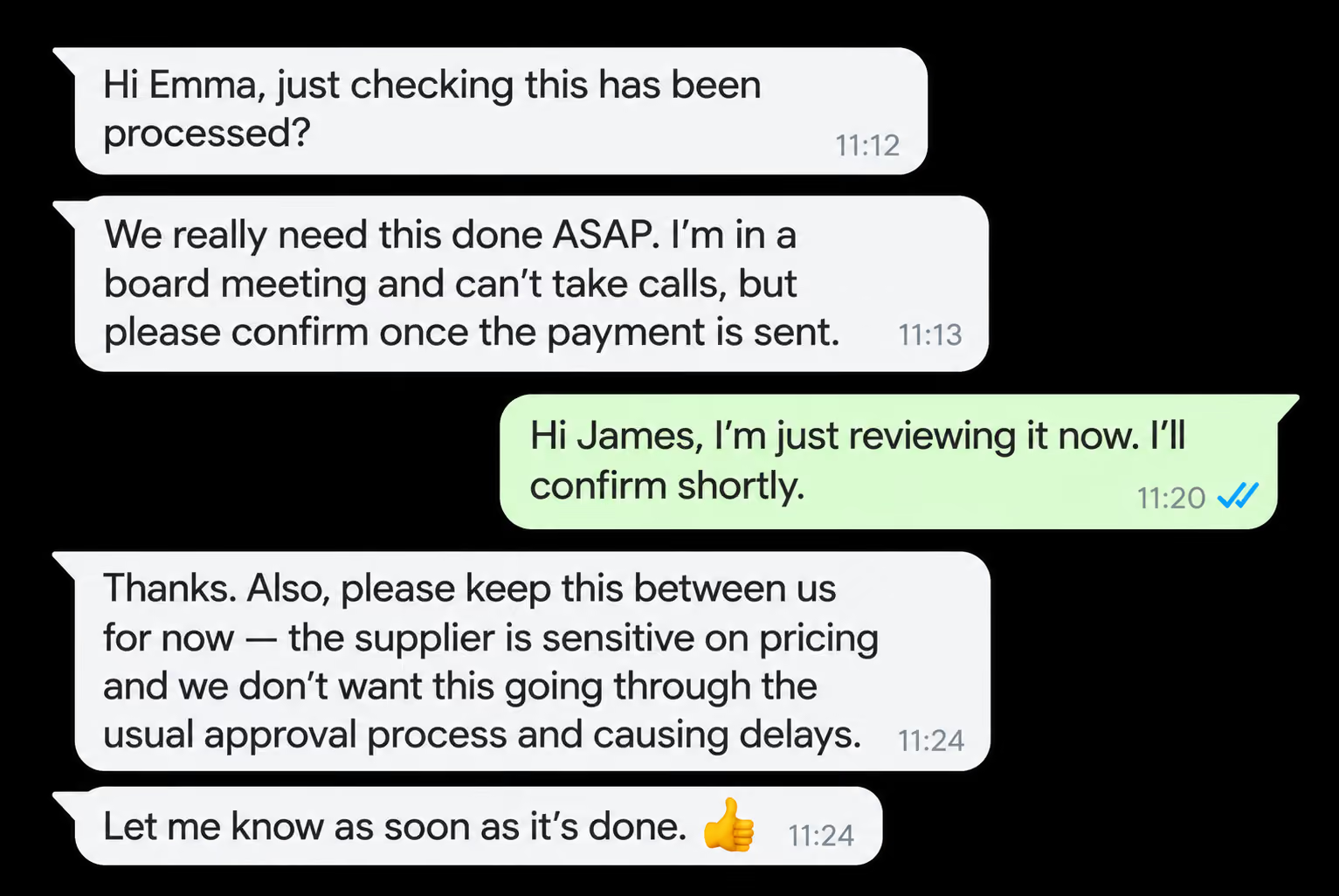
The Chase on a Second Channel

When the payment hasn’t moved, the pressure continues in a messaging app such as WhatsApp, which leaves a thinner audit trail than email. The “executive” chases for confirmation, repeats that they can’t take calls, and asks the employee to keep it quiet and skip the usual approval process. Each message pushes them to act before anyone checks.
Second channel
Bypassed approvals
WHAT WE INVESTIGATE

Three BEC Patterns, One Investigation Process

Payment-change requests

We analyse emails asking you to change bank details or redirect a payment.

Supplier impersonation

We examine headers, sending IPs, domains and more to test whether the sender is genuine.

Executive spoofing

We look for executive spoofing patterns in the sender and the message.
HOW IT WORKS

From Suspicious Email to Contained Incident

Alert or report
Your tools detect it, or a user reports it to us.
Email forensics
We analyse artefacts, detonate attachments and URLs where needed, and classify the threat.
Blast radius
We find similar emails, impacted users and evidence of clicks, replies and data sent.
Containment
We remove emails, block senders and trigger identity or endpoint playbooks if compromise is suspected.
Report and feedback
You get a clear incident report, plus training insights for users and configurations.
WHAT YOU GET

A Response, Not Just an Alert

Tenant-wide message removal

Malicious messages removed from every impacted mailbox.

Sender, domain and URL blocking

The sender, domain and url is blocked, not just the one email.

Indicator sharing

Indicators passed to your identity and endpoint tools.

Click and credential tracking

URL clicks correlated with identity anomalies and sign-in events.

Campaign-level view

Every targeted user identified, not just the first to report.

Reusable reporting

Clear reports your security and compliance teams can share.
Blog

What is Business Email Compromise BEC?

Business Email Compromise (BEC) is a form of targeted cyberattack in which criminals impersonate trusted business contacts to deceive employees into transferring funds, sharing confidential data, or performing unauthorised actions.
RELATED SERVICES

When a BEC Case Needs More

Incident
Response

24/7 SOC expertise to contain and investigate.
Learn more →

Threat
Hunting

Proactive hunts for suspicious behaviour that tools did not flag.
Learn more →

Remediation and Forensics

Forensic investigation after an incident.
Learn more →
One-click reporting, with a SOC team behind every report.
Learn more →
SentinelOne company logo with stylized shield icon to the left of the text.
VISIONX FAQs

Common Questions We Get Asked

How do my users report a suspicious email?

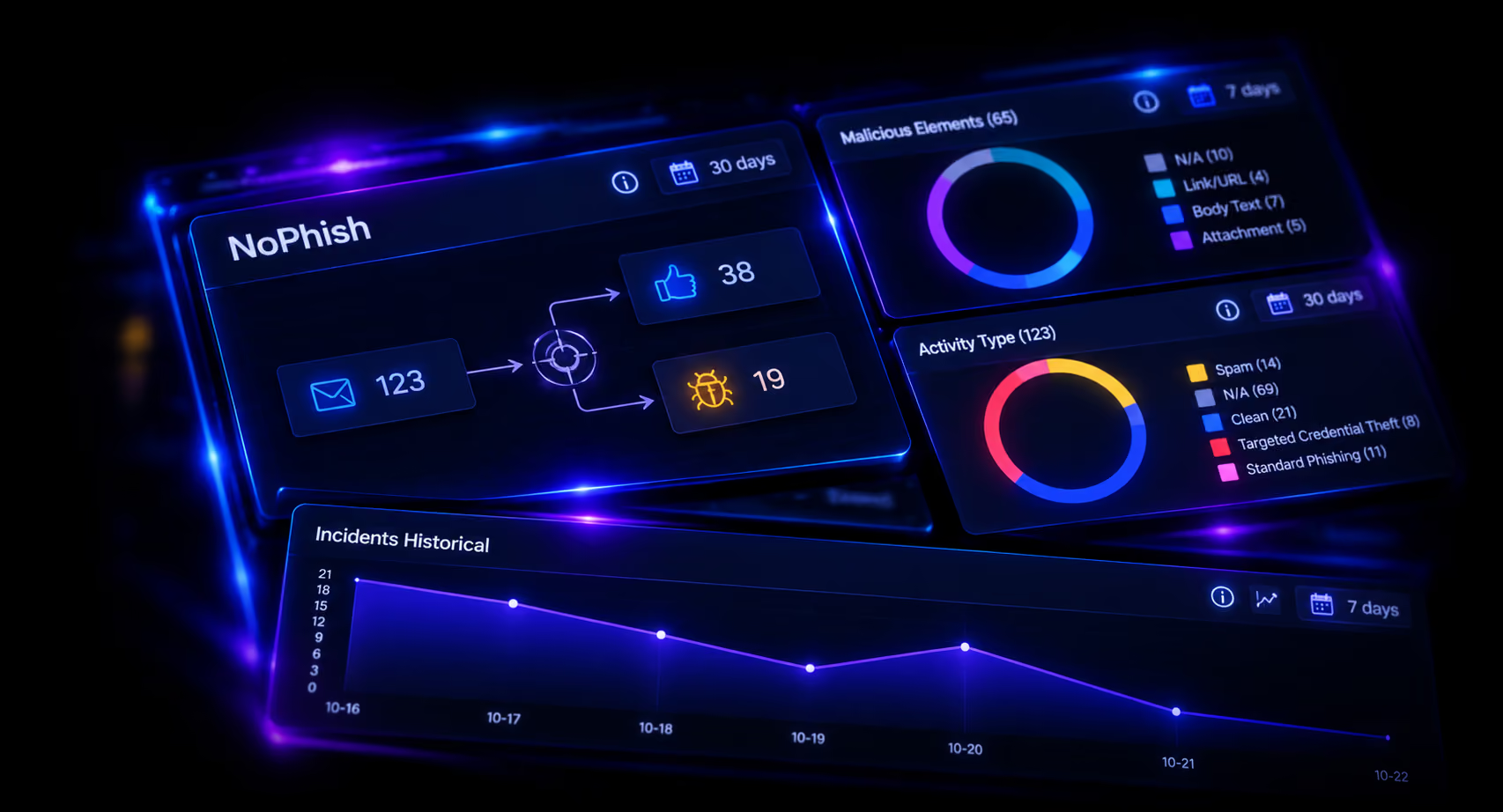
They click the NoPhish button in their email client, in Outlook or Google Mail. The report goes straight to our SOC team.

What happens when an email is reported?

The email is quarantined straight away. Links and attachments are detonated in a sandbox and checked against threat intelligence. AI then checks for spear-phishing indicators, spoofed senders and executive impersonation, and an analyst takes over the case.

Does a person review every report?

Yes. A Smarttech247 SOC analyst reviews every case and agrees the response with you before the threat is removed from other mailboxes.

Do we need to replace our existing email security?

No. NoPhish is a standalone managed service and works alongside your current stack. Filters can miss targeted emails, so NoPhish adds a layer that catches what your users spot.

What do we get when a case is closed?

A detailed incident report showing what we found, what we did and when it was resolved. The user who reported the email also gets a confirmation.